L'aide française est disponible au format PDF en cliquant ici (ou dans le Menu "Démarrer", Finale 2011, Documentation PDF française)
Le tutoriel français est disponible au format PDF en cliquant ici.
La mise à jour de l'aide française au format HTML sera disponible prochainement.
Traduction française :

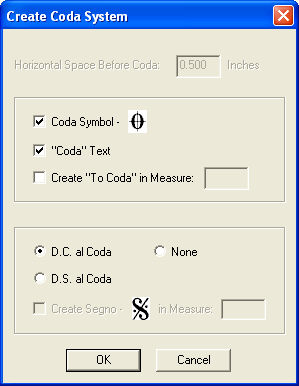
 )
and “To Coda” marking, and specify the appropriate measure for these items.
Finale defines playback automatically based on your settings. A double
barline is added to the end of the measure prior to the new coda system
automatically.
)
and “To Coda” marking, and specify the appropriate measure for these items.
Finale defines playback automatically based on your settings. A double
barline is added to the end of the measure prior to the new coda system
automatically. 